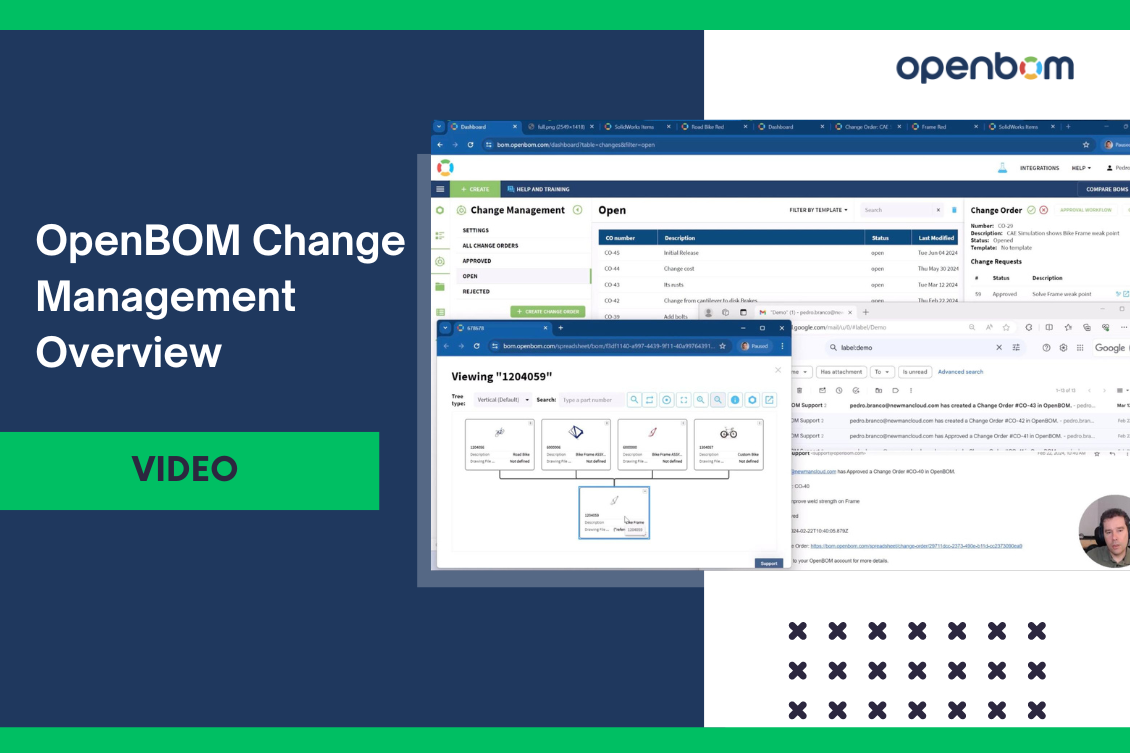
Change is the only constant thing you can see in every engineering and manufacturing process in your organization. Despite the visible simplicity of change management, the devil of change management requires a lot of details. At OpenBOM, we challenge ourselves to build simple yet powerful and configurable mechanisms for change management. In my article today, I want to share a video that provides you with a quick overview of the major steps of OpenBOM change management processes.

It is not your typical ECO process?
The vision of OpenBOM is to simplify existing processes and provide novel tools that can help you to work differently – collaboratively and connected. Therefore OpenBOM change management is designed to provide a shared space (aka Workspace, Latest State) where everyone can share data, create items and BOMs and once you decide that it is ready for a release, create a revision (before you need to approve it). In addition to that, Design Projects provides mechanisms to manage file versions that are later connected to Items/BOM.
In the picture below, you can see the main principles of OpenBOM change management.
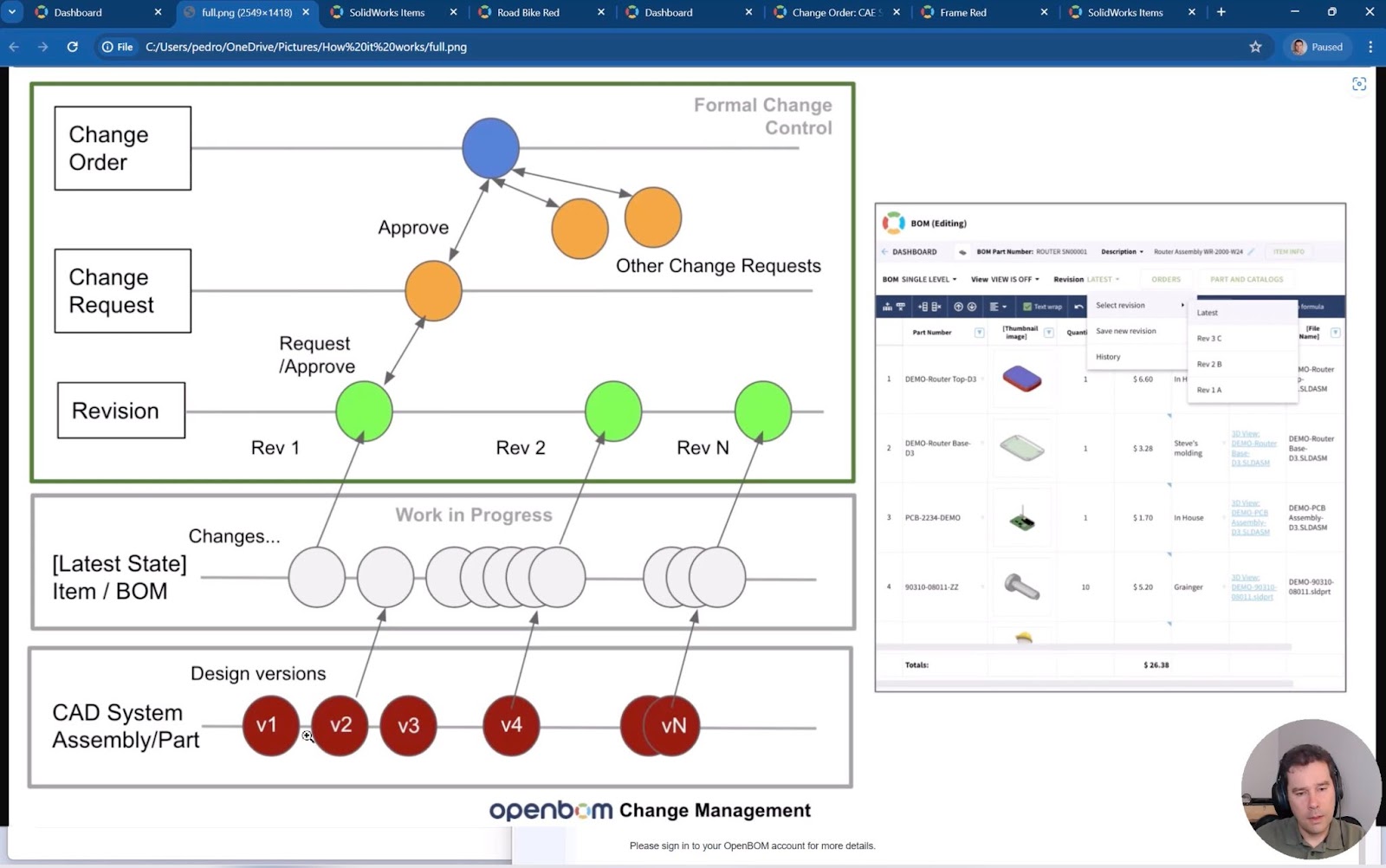
In my article today, I will explore the five main steps of the OpenBOM change management process, designed to streamline and enhance your product data management.
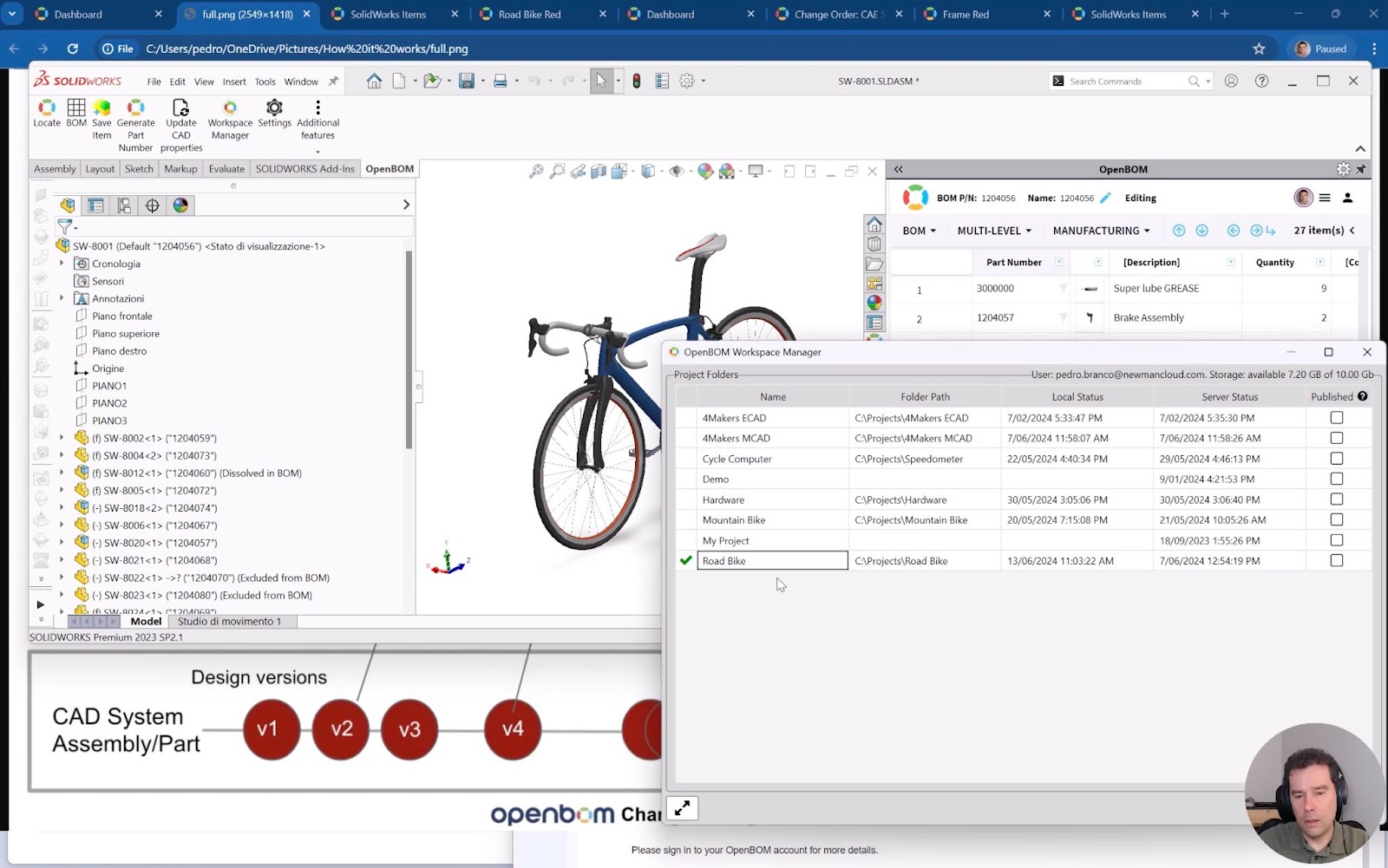
File Versions & Design Project Sync
Managing file versions is crucial for maintaining the integrity of your designs. OpenBOM ensures that all your design projects are synced with the latest file versions. This functionality allows team members to access and work on the most current data, minimizing the risk of discrepancies and errors. With automatic version control, you can easily track the evolution of your files and revert to previous versions if necessary.
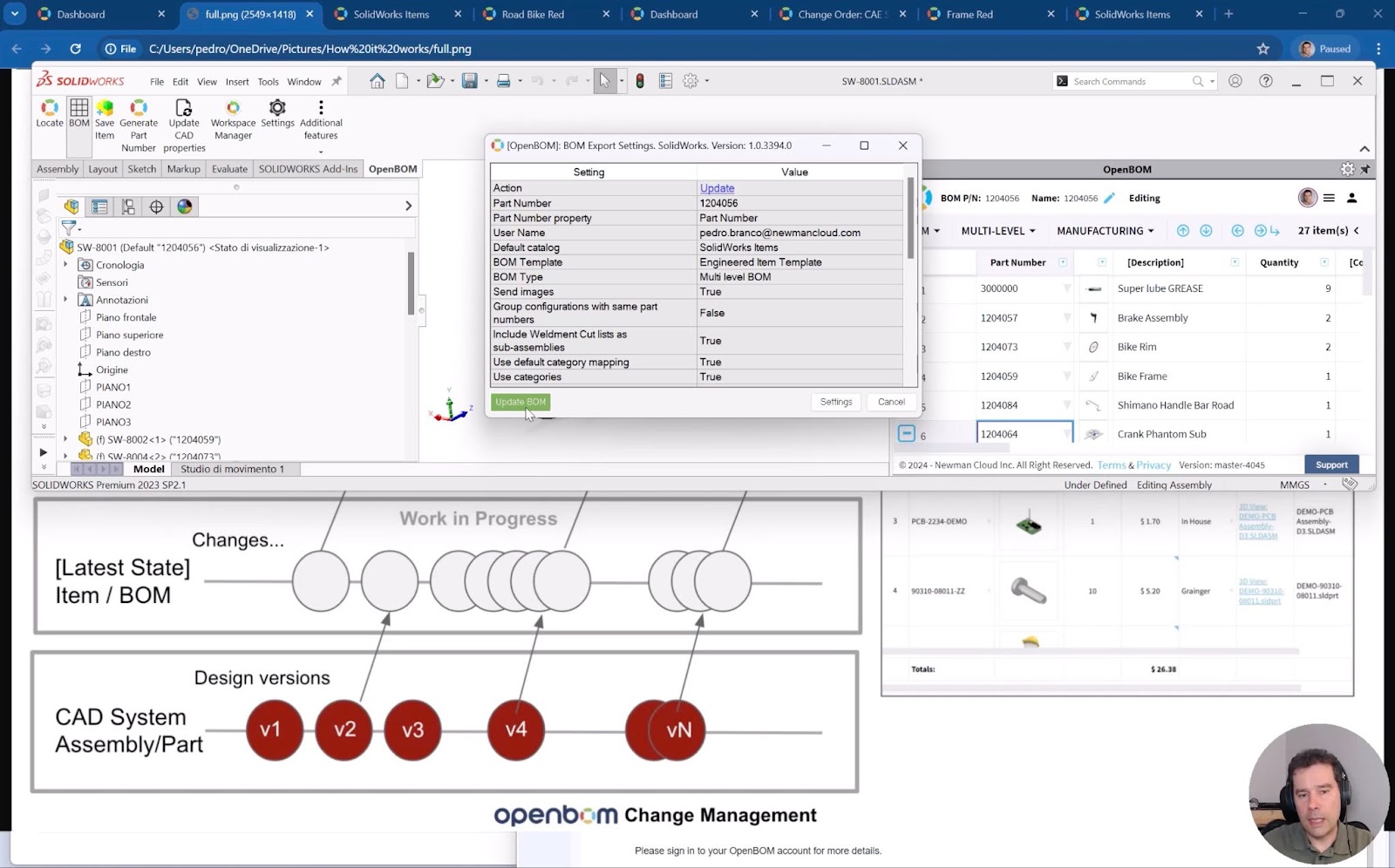
BOM / Item Creation
Creating a Bill of Materials (BOM) or individual items is straightforward in OpenBOM. This step is fundamental as it lays the groundwork for efficient change management by organizing all necessary components and materials. OpenBOM provides an intuitive interface to add items, define properties, and establish relationships between components. This structured approach ensures that every element of your product is accounted for and easily accessible.
Change Request and Change Order
Handling changes efficiently is key to maintaining a streamlined workflow. OpenBOM allows you to submit and manage change requests and orders seamlessly. Change Requests (CRs) are used to propose modifications, while Change Orders (COs) formalize the approval and implementation of these changes. This systematic approach ensures that all modifications are documented, reviewed, and approved, reducing the risk of unauthorized changes and maintaining the integrity of your product data.
Collaborative Approval and Revisions
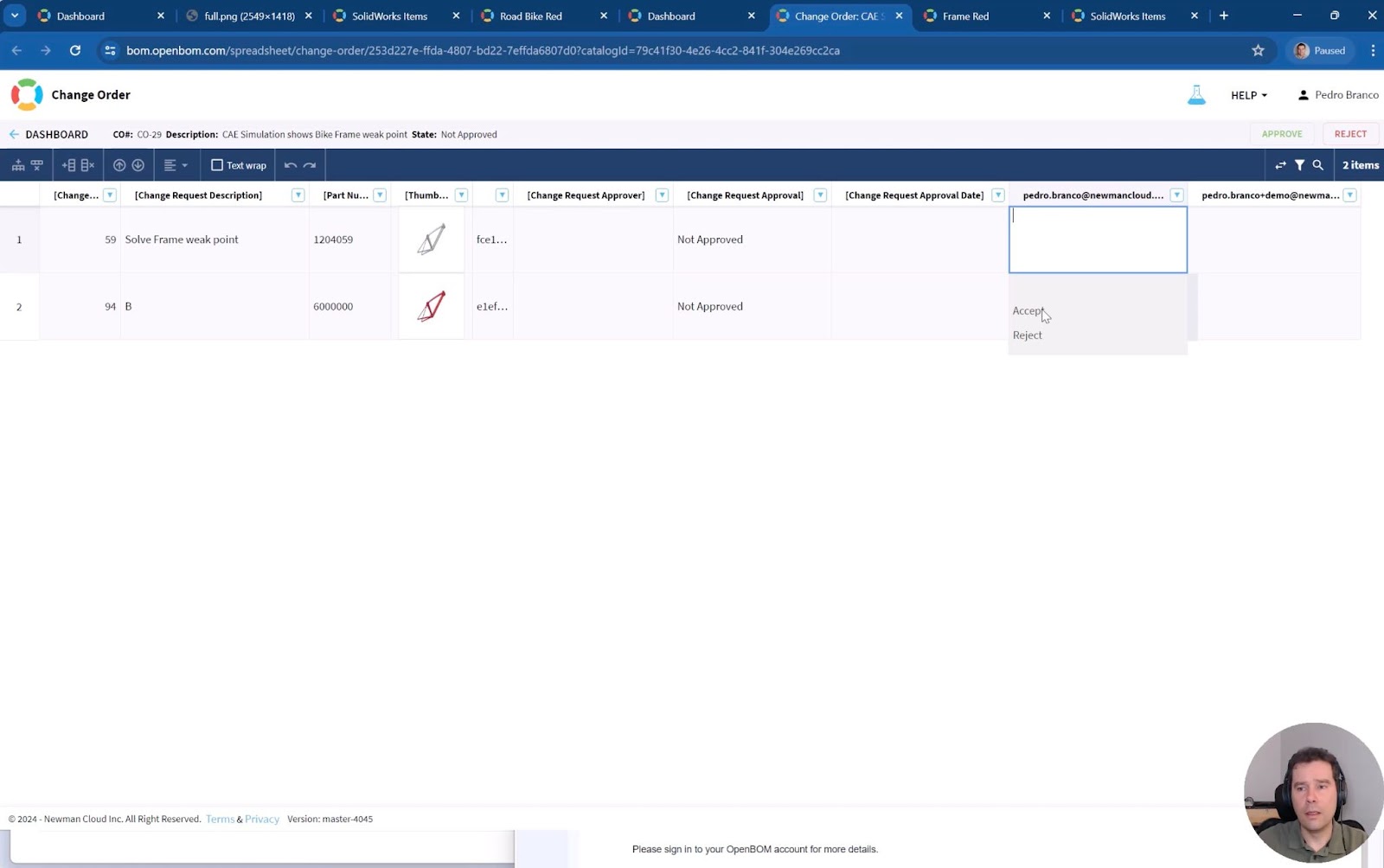
OpenBOM fosters collaboration by enabling multiple stakeholders to review and approve changes. The collaborative approval process ensures that all revisions are vetted thoroughly, enhancing the quality and reliability of your product data. Users can comment on changes, suggest modifications, and ultimately approve or reject proposed changes. This collaborative environment not only improves decision-making but also promotes transparency and accountability.
Notifications
Stay informed with real-time notifications. OpenBOM keeps you updated on the status of your change requests, approvals, and revisions, ensuring that you are always in the loop and can respond promptly to any updates. Notifications can be customized to suit your preferences, allowing you to receive alerts via email, in-app messages, or other communication channels. This feature ensures that you never miss critical updates and can maintain an efficient workflow.
Video
Watch the short video covering all steps of the process I mentioned above.
Conclusion
OpenBOM change management provides a simple yet robust set of functions to track changes in your data, from file versions and BOM creation to collaborative approvals and notifications. This comprehensive approach ensures that your product data is always accurate, up-to-date, and readily accessible. Want to learn more?
REGISTER FOR FREE and check OpenBOM today.Best,
Oleg
Join our newsletter to receive a weekly portion of news, articles, and tips about OpenBOM and our community.